Chart
Output
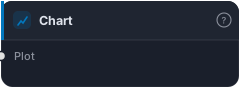
Legacy chart sink — kept alive for backwards compatibility with strategies saved before the Chart+Tester merge. New strategies use the Output block (Tester) instead.
Chart is a legacy visualisation sink, kept only for backwards compatibility. It was the original "show this on the chart" block from before the Chart and Tester were merged into a single output. It accepts anything visualizable — bars, series, events, zones, swings, signals, trades — and plots it. New strategies don't need it: the Tester now both runs the backtest and drives the chart, and indicators render via their own per-output eye toggles.
How it works
The block has one multi-input, Plot, that accepts any visualizable output type and draws it on the chart. That's the whole job — it's a pure display sink with no backtest, no signals, no risk logic. If you open an older strategy saved before the merge, you may see a Chart node still wired up; it will keep working exactly as it did.
When to use it
For new work, you generally won't — reach for the Tester instead, which covers visualisation and backtesting together, and toggle indicator plots with their eye icons. Chart exists so that strategies built before the merge keep loading and rendering unchanged. If you're maintaining an older graph that already uses it, there's no need to rip it out; if you're building fresh, skip it.
Example
You won't usually add one deliberately. If you open a pre-merge strategy and find a Chart node receiving an EMA and some Swings, that's the legacy display path doing its job — modern graphs would simply enable those plots via their eye toggles and route signals to the Tester.
Tips & gotchas
- Legacy only. New strategies use the Tester for both chart + backtest.
- Pure display — it plots, it doesn't trade or compute anything.
- Harmless in old graphs — leave it where it works; no need to migrate it out.
- Indicators self-render now — modern plotting is via per-output eye toggles, not a Chart node.
Related blocks
Inputs
| Socket | Type | What to wire in |
|---|---|---|
| Plot | plot |
Accepts any visualizable output: bars, series, events, zones, swings, signal, trades |
Reference auto-generated from the block catalog · category Output.