Edge Trigger
Signals · Utility
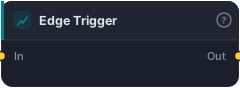
Fire only on the first bar of a true run (rising edge).
Edge Trigger converts a state into an event. It takes a signal that may stay true for many bars and outputs true only on the first bar of each true run — the rising edge. It's the bridge between "this condition is holding" and "this condition just became true," and it's one of the most useful utilities for building entries that fire once instead of every bar.
How it works
The block watches the input signal and outputs true on each bar where the signal transitions from false to true; for the rest of the true run (and all false bars) it outputs false. So a condition that's true for 10 bars produces a single Edge Trigger pulse on bar 1.
When to use it
Use Edge Trigger whenever a state-style condition needs to become a one-shot entry. Comparison blocks (Greater Than, Less Than, Between) and And gates all produce continuous states — if you wired one straight into an entry it would re-fire every bar the condition held, opening trade after trade. Wrapping it in an Edge Trigger gives you exactly one entry at the moment the setup first appears. (Crossover blocks like Crosses Above are already edge events, so they don't need it.)
Example
Fire once on a confluence: build "ADX > 25 AND price > 200-EMA AND RSI > 50" with comparisons and an And gate — that result is a state. Wrap it in Edge Trigger so you enter only on the first bar the whole setup aligns, then route to a Tester. Backtest in the Tester and note how it prevents repeat entries.
Tips & gotchas
- State → event. The core use: stop a continuous condition from re-firing every bar.
- Crossovers don't need it — Crosses Above/Crosses Below are already single-bar events.
- Put it last, after your And/Or logic, so it shapes the final combined condition.
- Pairs with Hold when you want the event to then stay active for a few bars.
Related blocks
Inputs
| Socket | Type | What to wire in |
|---|---|---|
| In | signal |
Input signal |
Outputs
| Output | Type | Plots as | Description |
|---|---|---|---|
| Out | signal |
Signal arrows | Shaped signal |
Reference auto-generated from the block catalog · category Signals.