Trailing Stop
Risk · Stop Loss
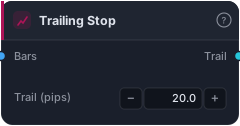
**Trailing-stop distance in pips. Once a trade is in profit, the engine ratchets SL to (favorable extreme − this many pips); never loosens. Wire output into the Output node's Trail socket.
⚠ Trail by itself arms on the first profitable bar. Combining a tight trail (e.g. 5 pips) with a wide SL (e.g. 20 pips) WILL tighten the SL aggressively on bar 1 and likely stop you out on a small pullback — that's by design. Use the Output node's Trail trigger socket / param (set ≥ your SL distance) to delay trailing until the trade is meaningfully in profit.**
TrailingStop turns a static stop-loss into a moving one that chases price in your favor. As a trade runs into profit, it drags the stop along behind the best price the trade has seen — locking in gains while leaving room for the move to keep breathing. Traders reach for it when they don't want to guess a fixed exit and would rather let a winner run until the market finally turns.
How it works
The block itself is deliberately simple: it emits a constant series equal to the pips parameter (default 20.0), one value per bar, aligned to the Bars you wire into it. The actual trailing happens in the backtest engine when this series is plugged into the Output node's Trail socket. On every bar the trade is in profit, the engine recomputes the favorable extreme (the highest high for longs, lowest low for shorts since entry) and ratchets the stop to favorable_extreme − pips. The ratchet is one-directional — it only ever tightens, never loosens — so once price pushes the stop up, a pullback can't widen it again. The number you set is a distance, not a price level, so the same block adapts across any symbol the bars carry.
When to use it
TrailingStop shines in trending markets where you've caught a clean directional move and want to ride it without prematurely capping the upside — breakout, momentum, and SMC continuation strategies are natural homes. It's a poor fit in choppy, ranging conditions, where price whipsaws will repeatedly nick a tight trail and stop you out at the worst spot. Avoid pairing a tight trail with a wide initial SL unless you also gate it.
Example
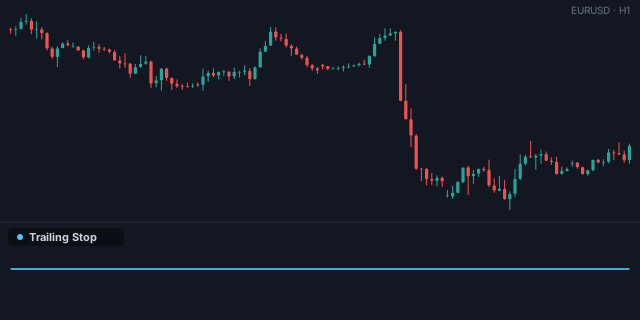
A simple trend rider: feed SMA crossovers into your entry logic, attach an initial StopLoss for the worst-case exit, and wire TrailingStop into the Output node's Trail socket to manage the winner. Add BreakEvenAfter to lock in no-loss before the trail engages.
Tips & gotchas
- The trail arms on the first profitable bar — combine a 5-pip trail with a 20-pip SL and the engine will yank the stop in tight on bar 1 and likely stop you out on a small pullback. That's by design.
- Use the Output node's Trail trigger param (set it ≥ your SL distance) to delay trailing until the trade is meaningfully in profit.
- It's distance-based in pips, so sanity-check the value against the instrument's volatility — 20 pips means very different things on EURUSD vs. an index CFD.
- Trailing only tightens; backtest the same idea with and without it, because a trail often reduces average win size in exchange for fewer give-backs.
Related blocks
Inputs
| Socket | Type | What to wire in |
|---|---|---|
| Bars | bars |
Bars to align the output series to. |
Outputs
| Output | Type | Plots as | Description |
|---|---|---|---|
| Trail | series |
Line · sub-pane | Per-bar trailing-stop distance in pips. |
Parameters
| Parameter | Type | Default | What it does |
|---|---|---|---|
| Trail (pips) | number · 0.1–500.0 | 20.0 |
Reference auto-generated from the block catalog · category Risk.