Rolling Percentile
Math · Rolling
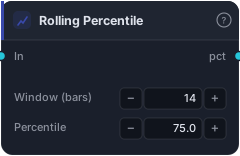
Pth-percentile value within the trailing N bars. With percentile=50 acts as median; 75 reads the upper-quartile value; 95 surfaces near-extreme thresholds.
Rolling Percentile reports where a chosen percentile of the series sits over the trailing N bars. Set it to 50 and it's a median; set it to 75 and it reads the upper-quartile value; set it to 95 and it surfaces a near-extreme threshold. It answers "what value has the series been below P% of the time recently?" — which is exactly how you build adaptive, self-calibrating thresholds instead of fixed magic numbers.
How it works
Each bar the block sorts the source's last Window (bars) values (default 14) and returns the value at the Percentile position (default 75, range 0–100). Feed it Bars (uses close) or any series. Because the threshold is derived from the series' own recent distribution, it adapts automatically as conditions change — unlike a hard-coded level.
When to use it
Use Rolling Percentile to build adaptive thresholds. Instead of "ATR above 0.0015" (a fixed level that's wrong on a different instrument or regime), use "ATR above its own rolling 80th percentile" — i.e. "unusually high for this market lately." The same idea makes any indicator self-calibrating: a value above its rolling 90th percentile is extreme relative to its own recent behaviour, on any instrument. It's the antidote to brittle magic-number thresholds.
Example
An adaptive volatility filter: feed ATR into Rolling Percentile at 80% over 100 bars to get "the 80th-percentile ATR lately," then compare current ATR to it with a Greater Than — true when volatility is unusually high for this market. Gate a breakout with it and backtest in the Tester.
Tips & gotchas
- Adaptive thresholds, not magic numbers — "high for this market lately" beats a hard-coded level.
- Percentile 50 = median; 75/90/95 read progressively more extreme.
- Self-calibrating across instruments — the same setup works on EURUSD and BTCUSD.
- Window sets the reference period — longer = a more stable, slower-adapting threshold.
Related blocks
Inputs
| Socket | Type | What to wire in |
|---|---|---|
| In | series / bars |
Source series. BARS input uses close. |
Outputs
| Output | Type | Plots as | Description |
|---|---|---|---|
| pct | series |
Line · sub-pane | Per-bar Pth percentile across the window. |
Parameters
| Parameter | Type | Default | What it does |
|---|---|---|---|
| Window (bars) | number · 2–500 | 14 |
Bars in the rolling window. |
| Percentile | number · 0.0–100.0 | 75.0 |
Which percentile to read (0–100). 50 = median. |
Reference auto-generated from the block catalog · category Math.