Bar Count
Flow · Counter
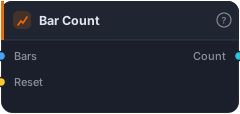
Count bars since the start, or since the optional reset signal last fired. Output is a SERIES of integer counts (0-based — bar of reset is 0, the next bar is 1, etc.). Useful for 'bars since entry', 'bars since session start', anything time-since-event.
Bar Count is a running counter of bars since something happened. It outputs an integer that ticks up every bar — 0, 1, 2, 3… — and snaps back to 0 whenever an optional Reset signal fires. It's the building block for any "time since an event" logic: bars since entry, bars since the session opened, bars since a structure break. Turning "how long ago?" into a number you can compare against is what makes time-based rules possible.
How it works
The block emits a per-bar integer Count. Wire Bars in to align it, and optionally a Reset signal: the bar on which Reset fires becomes 0, the next bar 1, and so on, until the next reset. Without a Reset wired, it simply counts from the start of the data. Because the output is a plain series, you can feed it into a Greater Than or Less Than to build conditions like "more than 10 bars since reset."
When to use it
Use Bar Count for time-since-event rules. Common patterns: "only allow an entry within the first 5 bars after a Liquidity Sweep" (reset on the sweep, require count < 5); "wait at least 10 bars after the session open before trading" (reset at session start, require count > 10); or measuring how long a setup has been valid. It's the flexible, comparison-friendly counterpart to fixed-window blocks like Cooldown and Hold — where those bake the bar logic in, Bar Count hands you the raw number to build any rule you like.
Example
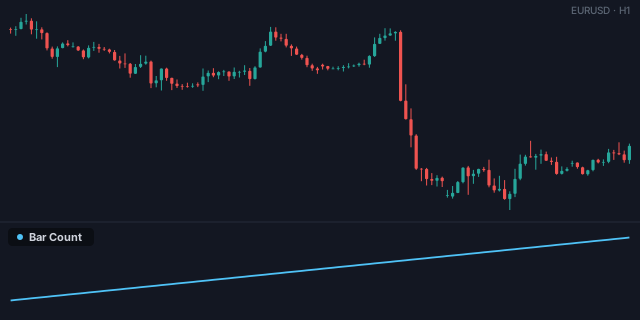
Act only just after a sweep: reset Bar Count on a Liquidity Sweep event, then require the Count to be below 5 via a Less Than — combine that with your entry trigger through an And gate into a Tester, so you only act within 5 bars of the sweep. Backtest in the Tester.
Tips & gotchas
- 0-based — the reset bar is 0, the next is 1.
- Reset is optional — without it, the counter runs from the start of the data.
- The flexible time tool — compare the count to build any window rule, where Cooldown/Hold bake one in.
- Feed it into a comparison — the raw count is only useful once you threshold it.
Related blocks
Inputs
| Socket | Type | What to wire in |
|---|---|---|
| Bars | bars |
Bars to align the counter to. |
| Reset (optional) | signal |
When true, snap the counter back to 0 on that bar. Optional. |
Outputs
| Output | Type | Plots as | Description |
|---|---|---|---|
| Count | series |
Line · sub-pane | Bars since the most recent reset (or start). |
Reference auto-generated from the block catalog · category Flow.