Constant
Indicators · Utility
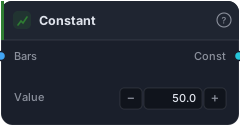
A flat time series equal to the given value at every bar.
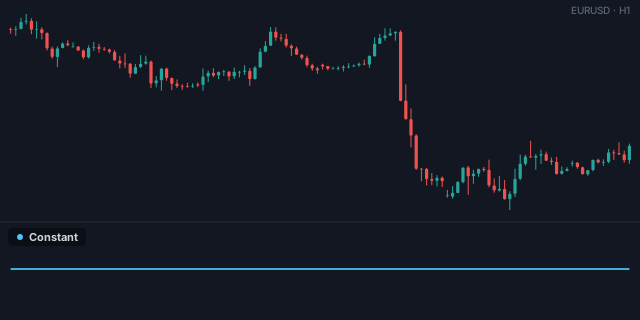
Constant outputs the same fixed number on every bar — a flat horizontal line. It sounds trivial, but it's one of the most-used utility blocks in the whole catalogue, because comparison blocks need two series and a fixed threshold is often the second one. "Is RSI above 70?" needs a 70 to compare against, and Constant is what supplies it.
How it works
Set the Value (default 50) and the block emits that number at every bar, aligned to your timeframe via the Bars input. The output is a series like any other, so it plugs into comparisons, arithmetic, or band construction wherever a fixed level is needed.
When to use it
Use Constant to supply a fixed threshold or level to any two-input block. Wire it into the B socket of a Greater Than / Less Than / Crosses Above to test an indicator against a fixed value (RSI vs 70, price vs a round number, ADX vs 25). It's also a quick way to draw a horizontal reference level on a sub-pane. One efficiency note: if you only need to add or multiply a series by a constant, Scalar Math does it in one block instead of Constant + an arithmetic node.
Example
An RSI threshold: wire an RSI into the A socket of a Crosses Below and a Constant of 70 into B — the comparison fires when RSI drops back under 70. Route to an Tester and backtest in the Tester.
Tips & gotchas
- The threshold supplier — comparisons need a second series; Constant is it.
- For arithmetic with a fixed number, prefer Scalar Math — one block instead of two.
- Also a horizontal reference line on a sub-pane.
- Trivial but essential — you'll use it constantly alongside comparison blocks.
Related blocks
Inputs
| Socket | Type | What to wire in |
|---|---|---|
| Bars | bars |
Bars providing the time axis |
Outputs
| Output | Type | Plots as | Description |
|---|---|---|---|
| Const | series |
Line · sub-pane | Flat constant series |
Parameters
| Parameter | Type | Default | What it does |
|---|---|---|---|
| Value | number · -100000.0–100000.0 | 50.0 |
Reference auto-generated from the block catalog · category Indicators.